Tallyprime For Mac Users
TallyPrime for Mac – Run TallyPrime on Your Macbook
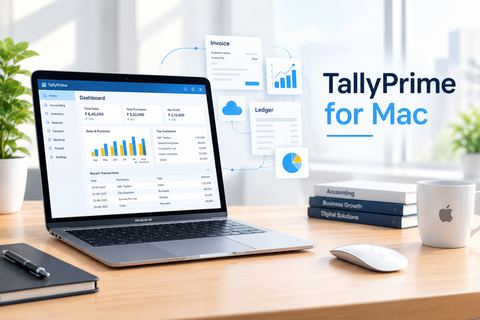
TallyPrime for Mac gives Mac users a convenient way to access TallyPrime for their accounting and business management needs. Whether you use a MacBook for your daily business activities or prefer MacOS as your primary work environment, TallyPrime can be accessed through a suitable Windows-based or cloud setup.
From accounting and invoicing to inventory management and business reports, you can use TallyPrime while continuing to work from your preferred Mac device.
Trusted by Big Brands in Nepal









TallyPrime on MacBook
Using TallyPrime on Mac gives Mac users a convenient way to access Tally for their accounting and
business management needs. From accounting and invoicing to inventory management and business
reports, one can continue to working on their preferred Mac device, rather than buying another
windows based PC.
Whether you use a MacBook for your daily business activities or prefer Mac as your primary work
environment, TallyPrime can be accessed via three multiple ways
Port your TallyPrime on Cloud
With a cloud-based setup, TallyPrime can be hosted on a Windows server and accessed remotely
from a Mac. This can be useful for businesses owners who travels all over and need to access from
different remote locations, 24×7. And they need not wait for accountant to provide data. Monthly
charges applies in this case
Using Bundled Remote Access Utility
If TallyPrime is installed on a Windows computer or server, a suitable remote-access setup will easily
allow Mac users to access their TallyPrime environment remotely at no extra cost.
Run Tally directly on MAC
No need to partition Mac or run BootCamp. Our technical team with a few minor changes and
proper setup will help you in running TallyPrime directly from Mac as a Mac utility
.

Trusted by 500+ Businesses for Tally Cloud Solutions
What Our Clients has to say
Saral Billing streamlines the billing process, allowing you to create invoices quickly and accurately, which saves time along with customizable invoices where you can easily customize invoices to reflect your brand, including adding your logo and selecting preferred formats. Highly Recommended
The accounting software is very user-friendly and makes daily accounting tasks simple and efficient. The interface is easy to navigate, even for beginners, and the features are well-organized for smooth financial management. The customer service team is also very supportive and quick to assist whenever needed. Highly recommended for anyone looking for reliable accounting solutions in Nepal.
Absolutely impressed with [CNC PVT LTD ] Their team provided outstanding service from start to finish. They were professional, efficient, and paid great attention to detail. The work was completed on time and exceeded our expectations. The customer support was exceptional, and they made sure all our questions were answered. I highly recommend [CNC Pvt Ltd ] to anyone looking for reliable and top-quality service.
Have any questions?
Frequently Asked Questions About TallyPrime on Mac
Yes. Mac users can access and use TallyPrime through a compatible Windows environment or cloud-
based setup, allowing you to manage your accounting and business operations from a MacBook. One
can choose any of the above three given options.
Yes, your existing TallyPrime company data can migrated and ported on MAC to be used directly on
MacBook.
Yes. With a cloud-based TallyPrime setup, one can access TallyPrime environment remotely from a
MacBook using remote desktop software.

Ready to take your business to the next level?
Request a demo of TallyPrime, Addon Modules or SaralBilling and discover how the right solution can simplify operations, improve efficiency and accelerate growth.
Start Your Free Trial